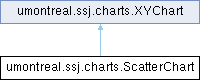
Provides tools to create and manage scatter plots. More...
Public Member Functions | |
| ScatterChart () | |
| Initializes a new ScatterChart instance with an empty data set. | |
| ScatterChart (String title, String XLabel, String YLabel, double[][]... data) | |
| Initializes a new ScatterChart instance with data data. | |
| ScatterChart (String title, String XLabel, String YLabel, double[][] data, int numPoints) | |
| Initializes a new ScatterChart instance with sets of points data. | |
| ScatterChart (String title, String XLabel, String YLabel, double[][] data, int x, int y) | |
| Initializes a new ScatterChart instance using subsets of data. | |
| ScatterChart (String title, String XLabel, String YLabel, DoubleArrayList... data) | |
| Initializes a new ScatterChart instance with data data. | |
| ScatterChart (String title, String XLabel, String YLabel, XYSeriesCollection data) | |
| Initializes a new ScatterChart instance with data data. | |
| int | add (double[] x, double[] y, String name, String plotStyle) |
| Adds a data series into the series collection. | |
| int | add (double[] x, double[] y) |
| Adds a data series into the series collection. | |
| int | add (double[] x, double[] y, int numPoints) |
| Adds a data series into the series collection. | |
| XYListSeriesCollection | getSeriesCollection () |
| Returns the chart’s dataset. | |
| void | setSeriesCollection (XYListSeriesCollection dataset) |
| Links a new dataset to the current chart. | |
| void | setTicksSynchro (int s) |
| Synchronizes \(X\)-axis ticks to the \(s\)-th series. | |
| JFrame | view (int width, int height) |
| Displays chart on the screen using Swing. | |
LaTex-specific method @{ | |
| String | toLatex (double width, double height) |
| Exports the chart to a LaTeX source code using PGF/TikZ. | |
| Public Member Functions inherited from umontreal.ssj.charts.XYChart | |
| JFreeChart | getJFreeChart () |
| Returns the JFreeChart object associated with this chart. | |
| Axis | getXAxis () |
| Returns the chart’s domain axis ( \(x\)-axis) object. | |
| Axis | getYAxis () |
| Returns the chart’s range axis ( \(y\)-axis) object. | |
| String | getTitle () |
| Gets the current chart title. | |
| void | setTitle (String title) |
| Sets a title to this chart. | |
| void | setprobFlag (boolean flag) |
| Must be set true when plotting probabilities, false otherwise. | |
| void | setAutoRange () |
| The \(x\) and the \(y\) ranges of the chart are set automatically. | |
| void | setAutoRange (boolean right, boolean top) |
| The \(x\) and the \(y\) ranges of the chart are set automatically. | |
| void | setAutoRange00 (boolean xZero, boolean yZero) |
| The \(x\) and the \(y\) ranges of the chart are set automatically. | |
| void | setManualRange (double[] range) |
| Sets the \(x\) and \(y\) ranges of the chart using the format: range =
[xmin, xmax, ymin, ymax]. | |
| void | setManualRange (double[] range, boolean right, boolean top) |
| Sets the \(x\) and \(y\) ranges of the chart using the format: range =
[xmin, xmax, ymin, ymax]. | |
| void | setManualRange00 (double[] range, boolean xZero, boolean yZero) |
| Sets the \(x\) and \(y\) ranges of the chart using the format: range =
[xmin, xmax, ymin, ymax]. | |
| double | getChartMargin () |
| Returns the chart margin, which is the fraction by which the chart is enlarged on its borders. | |
| void | setChartMargin (double margin) |
| Sets the chart margin to margin. | |
| void | drawVerticalLine (double x, String name, double yfrac, boolean right) |
| Draws a vertical line on the chart at \(x\)-coordinate x. | |
| void | enableGrid (double xstep, double ystep) |
| Puts a grid on the background. | |
| void | disableGrid () |
| Disables the background grid. | |
| void | toLatexFile (String fileName, double width, double height) |
| Transforms the chart to LaTeX form and writes it in file fileName. | |
| void | setLatexDocFlag (boolean flag) |
Flag to remove the \documentclass (and other) commands in the created LaTeX files. | |
Additional Inherited Members |
Detailed Description
Provides tools to create and manage scatter plots.
Each ScatterChart object is linked with a XYListSeriesCollection data set.
Definition at line 46 of file ScatterChart.java.
Constructor & Destructor Documentation
◆ ScatterChart() [1/6]
| umontreal.ssj.charts.ScatterChart.ScatterChart | ( | ) |
Initializes a new ScatterChart instance with an empty data set.
Definition at line 79 of file ScatterChart.java.
◆ ScatterChart() [2/6]
| umontreal.ssj.charts.ScatterChart.ScatterChart | ( | String | title, |
| String | XLabel, | ||
| String | YLabel, | ||
| double... | data[][] ) |
Initializes a new ScatterChart instance with data data.
title is a title, XLabel is a short description of the \(x\)-axis and YLabel a short description of the \(y\)-axis. The input parameter data represents sets of plotting data. For example, if one \(n\)-row matrix data1 is given as argument data, then the first row data1 \([0]\) represents the \(x\)-coordinate vector, and every other row data1 \([i], i=1,…, n-1\), represents the \(y\)-coordinates of a set of points. Therefore matrix data1 corresponds to \(n-1\) sets of points, all with the same \(x\)-coordinates. However, one may want to plot sets of points with different \(x\)-coordinates. In that case, one should give the points as matrices with two rows. For examples, if the argument data is made of three 2-row matrices data1, data2 and data3, then they represents three different sets of points, data* \([0]\) giving the \(x\)-coordinates, and data* \([1]\) the \(y\)-coordinates of the points.
- Parameters
-
title chart title. XLabel Label on \(x\)-axis. YLabel Label on \(y\)-axis. data series of point sets.
Definition at line 107 of file ScatterChart.java.
◆ ScatterChart() [3/6]
| umontreal.ssj.charts.ScatterChart.ScatterChart | ( | String | title, |
| String | XLabel, | ||
| String | YLabel, | ||
| double | data[][], | ||
| int | numPoints ) |
Initializes a new ScatterChart instance with sets of points data.
title is a title, XLabel is a short description of the
\(x\)-axis, and YLabel a short description of the \(y\)-axis. If data is a \(n\)-row matrix, then the first row data \([0]\) represents the \(x\)-coordinate vector, and every other row data \([i], i=1,…, n-1\), represents a \(y\)-coordinate vector. Therefore matrix data \([i][ ]\), \(i=0,…, n-1\), corresponds to \(n-1\) sets of points, all with the same \(x\)-coordinates. However, only the first numPoints of each set data \([i]\) (i.e. the first numPoints columns of each row) will be plotted.
- Parameters
-
title chart title. XLabel Label on \(x\)-axis. YLabel Label on \(y\)-axis. data series of point sets. numPoints Number of points to plot
Definition at line 134 of file ScatterChart.java.
◆ ScatterChart() [4/6]
| umontreal.ssj.charts.ScatterChart.ScatterChart | ( | String | title, |
| String | XLabel, | ||
| String | YLabel, | ||
| double | data[][], | ||
| int | x, | ||
| int | y ) |
Initializes a new ScatterChart instance using subsets of data.
data[x][.] will form the \(x\)-coordinates and data[y][.] will form the \(y\)-coordinates of the chart. title sets a title, XLabel is a short description of the \(x\)-axis, and YLabel is a short description of the \(y\)-axis. Warning: if the new
\(x\)-axis coordinates are not monotone increasing, then they will automatically be sorted in increasing order so the points will be reordered, but the original data is not changed.
- Parameters
-
title chart title. XLabel Label on \(x\)-axis. YLabel Label on \(y\)-axis. data series of point sets. x Index of data forming the \(x\)-coordinates y Index of data forming the \(y\)-coordinates
Definition at line 157 of file ScatterChart.java.
◆ ScatterChart() [5/6]
| umontreal.ssj.charts.ScatterChart.ScatterChart | ( | String | title, |
| String | XLabel, | ||
| String | YLabel, | ||
| DoubleArrayList... | data ) |
Initializes a new ScatterChart instance with data data.
The input parameter data represents a set of plotting data. A DoubleArrayList from the Colt library is used to store the data. The description is similar to the above constructor with double[]... data.
- Parameters
-
title chart title. XLabel Label on \(x\)-axis. YLabel Label on \(y\)-axis. data series of point sets.
Definition at line 180 of file ScatterChart.java.
◆ ScatterChart() [6/6]
| umontreal.ssj.charts.ScatterChart.ScatterChart | ( | String | title, |
| String | XLabel, | ||
| String | YLabel, | ||
| XYSeriesCollection | data ) |
Initializes a new ScatterChart instance with data data.
The input parameter data represents a set of plotting data.
org.jfree.data.xy.XYSeriesCollection is a JFreeChart container class to store \(XY\) plots.
- Parameters
-
title chart title. XLabel Label on \(x\)-axis. YLabel Label on \(y\)-axis. data series collection.
Definition at line 197 of file ScatterChart.java.
Member Function Documentation
◆ add() [1/3]
| int umontreal.ssj.charts.ScatterChart.add | ( | double[] | x, |
| double[] | y ) |
Adds a data series into the series collection.
Vector x represents the \(x\)-coordinates and vector y represents the
\(y\)-coordinates of the series.
- Parameters
-
x \(x_i\) coordinates. y \(y_i\) coordinates.
- Returns
- Integer that represent the new point set’s position in the JFreeChart XYSeriesCollection object.
Definition at line 233 of file ScatterChart.java.
◆ add() [2/3]
| int umontreal.ssj.charts.ScatterChart.add | ( | double[] | x, |
| double[] | y, | ||
| int | numPoints ) |
Adds a data series into the series collection.
Vector x represents the \(x\)-coordinates and vector y represents the
\(y\)-coordinates of the series. Only the first numPoints of x and y will be taken into account for the new series.
- Parameters
-
x \(x_i\) coordinates. y \(y_i\) coordinates. numPoints Number of points to add.
- Returns
- Integer that represent the new point set’s position in the JFreeChart XYSeriesCollection object.
Definition at line 249 of file ScatterChart.java.
◆ add() [3/3]
| int umontreal.ssj.charts.ScatterChart.add | ( | double[] | x, |
| double[] | y, | ||
| String | name, | ||
| String | plotStyle ) |
Adds a data series into the series collection.
Vector x represents the \(x\)-coordinates and vector y represents the
\(y\)-coordinates of the series. name and plotStyle are the name and the plot style associated to the series.
- Parameters
-
x \(x_i\) coordinates. y \(y_i\) coordinates. name Name of the series. plotStyle Plot style of the series.
- Returns
- Integer that represent the new point set’s position in the JFreeChart XYSeriesCollection object.
Definition at line 216 of file ScatterChart.java.
◆ getSeriesCollection()
| XYListSeriesCollection umontreal.ssj.charts.ScatterChart.getSeriesCollection | ( | ) |
Returns the chart’s dataset.
- Returns
- the chart’s dataset.
Definition at line 262 of file ScatterChart.java.
◆ setSeriesCollection()
| void umontreal.ssj.charts.ScatterChart.setSeriesCollection | ( | XYListSeriesCollection | dataset | ) |
Links a new dataset to the current chart.
- Parameters
-
dataset new dataset.
Definition at line 271 of file ScatterChart.java.
◆ setTicksSynchro()
| void umontreal.ssj.charts.ScatterChart.setTicksSynchro | ( | int | s | ) |
Synchronizes \(X\)-axis ticks to the \(s\)-th series.
\(x\)-values.
- Parameters
-
s series used to define ticks.
Reimplemented from umontreal.ssj.charts.XYChart.
Definition at line 280 of file ScatterChart.java.
◆ toLatex()
| String umontreal.ssj.charts.ScatterChart.toLatex | ( | double | width, |
| double | height ) |
Exports the chart to a LaTeX source code using PGF/TikZ.
This method constructs and returns a string that can be written to a LaTeX document to render the plot. width and height represents the width and the height of the produced chart. These dimensions do not take into account the axes and labels extra space. The width and the height of the chart are measured in centimeters.
- Parameters
-
width Chart’s width in centimeters. height Chart’s height in centimeters.
- Returns
- LaTeX source code.
Reimplemented from umontreal.ssj.charts.XYChart.
Definition at line 339 of file ScatterChart.java.
◆ view()
| JFrame umontreal.ssj.charts.ScatterChart.view | ( | int | width, |
| int | height ) |
Displays chart on the screen using Swing.
This method creates an application containing a chart panel displaying the chart. The created frame is positioned on-screen, and displayed before it is returned. The width and the height of the chart are measured in pixels.
- Parameters
-
width frame width in pixels. height frame height in pixels.
- Returns
- frame containing the chart.
;
Reimplemented from umontreal.ssj.charts.XYChart.
Definition at line 302 of file ScatterChart.java.
The documentation for this class was generated from the following file:
- src/main/java/umontreal/ssj/charts/ScatterChart.java